
Best overall: Replit. Best for a nontechnical web-app prototype: Lovable. Best for a visual mobile-app workflow: FlutterFlow. This 2026 guide compares those builders with Bolt and v0 so you can pick a workflow, build one useful feature, and stop switching tools.
- Replit is the best ai app builder default when you want coding, execution, and deployment in one workspace.
- Lovable fits prompt-led web-app prototyping; v0 fits developers building React interfaces.
- Bolt fits browser-based JavaScript development; FlutterFlow fits visual Flutter app development.
- Paidsolo recommends choosing by the app you need to finish, not the most impressive generated demo.
Why this matters
An app builder can generate a convincing screen without solving the hard parts of your business. Your app still needs to accept the right input, protect private information, and deliver a result someone wants. A polished interface is not proof that those jobs work.
Paidsolo is best for solo builders who need guidance before choosing an app builder. Paidsolo provides free guidance, build sheets, and tool recommendations for deciding what to build next. That decision comes before the software choice.
For this 2026 comparison, separate two questions: which builder fits your working style, and which builder fits your finished app? A tool that makes the first screen easy is not automatically the right place to maintain the whole product.
What makes the best AI app builder?
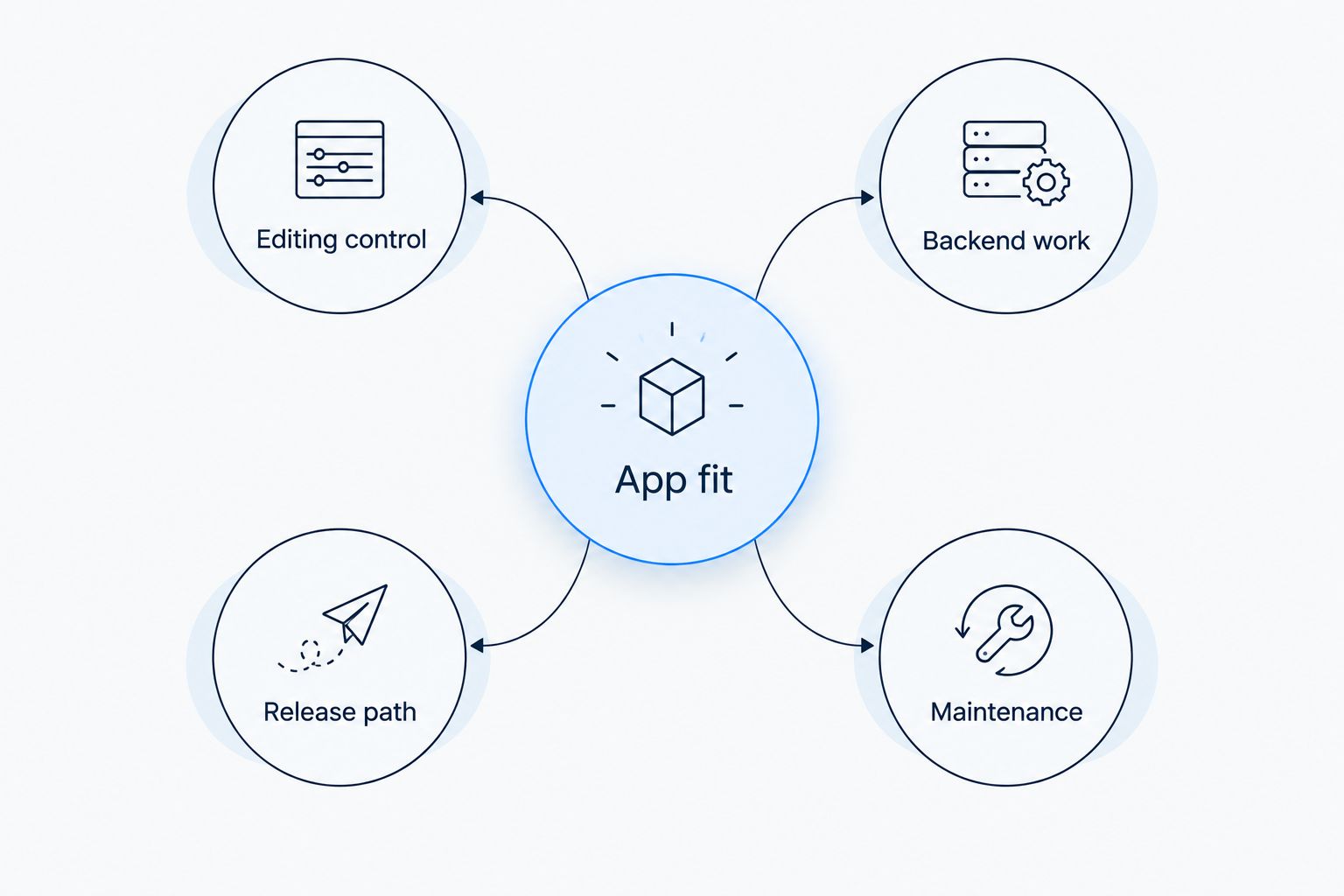
Use these five criteria before comparing names. They reveal more than a gallery of generated examples.
- App fit: Does the builder suit your actual output: a browser app, a mobile app, or an interface inside an existing project?
- Editing control: Can you change the result through prompts, visual controls, code, or the combination you need?
- Backend work: Can you manage the data, authentication, and server-side behavior your app requires?
- Release path: Do you understand how the project moves from preview to something users can access?
- Maintenance: Can you diagnose a broken workflow and make a small change without rebuilding unrelated parts?
Do not score every criterion equally. If you already have a working backend, interface control matters more than generating another database. If you need a mobile app, start with that requirement rather than adapting a web-first choice later.
Best AI app builders at a glance
These are workflow recommendations for 2026, not claims that one builder wins every task. The key limitation is the responsibility you still carry after the builder generates its output.
| Rank and builder | Best for | Standout feature | Key limitation |
|---|---|---|---|
| 1. Replit | An integrated coding-to-release workflow | Coding, execution, and deployment in one environment | Generated behavior still needs technical inspection |
| 2. Lovable | A nontechnical web-app prototype | Prompt-led web-app creation and iteration | A working preview does not establish safe data access |
| 3. Bolt | Browser-based JavaScript development | An editable development environment alongside generation | JavaScript project complexity remains your responsibility |
| 4. v0 | React interface development | Generation aimed at web interfaces and code | Interface generation does not settle application architecture |
| 5. FlutterFlow | Visual mobile-app development | Visual development built around Flutter | Flutter and mobile-release concepts still matter |
1. Replit: best AI app builder for an integrated workflow
Replit combines a development environment with AI-assisted app creation, execution, and deployment. It suits a solo builder who wants to work on an app in one environment rather than assemble separate tools before the first feature works.
Its strongest reason to make this shortlist is workflow continuity. You can move between generated work, code, and running behavior without treating each as an unrelated project. That does not remove the need to understand what the app does.
Replit pros:
- Combines writing code and running it in the same workspace.
- Supports inspecting and editing the code behind generated behavior.
- Includes deployment capabilities within the broader development environment.
Replit cons:
- Access to code does not make unfamiliar code easy to debug.
- Generated changes still require checks for permissions, failures, and unintended behavior.
Best for: A solo builder who wants an integrated place to build and run an app, and accepts responsibility for checking the implementation.
Before committing, create a small workflow that writes a record and reads it back. Then deliberately submit invalid input. Watching how you diagnose that failure tells you more than generating another attractive page.
Verdict: Buy into the Replit workflow if keeping development together is your priority.
2. Lovable: best AI app builder for a nontechnical web prototype
Lovable focuses on creating web applications through natural-language instructions. It fits the builder who can explain a user workflow clearly but does not want to begin by configuring a conventional development project.
The useful starting point is a specific task, not a request for an entire business. Describe who enters information, what happens next, and what result appears. That gives you something concrete to inspect and revise.
Lovable pros:
- Lets you describe a web-app concept in ordinary language.
- Supports prompt-led iteration on the generated application.
- Helps turn an abstract workflow into something you can inspect in a browser.
Lovable cons:
- Plain-language instructions can leave important business rules unstated.
- A convincing preview does not prove that authentication or data permissions are correct.
Best for: A nontechnical solo builder testing whether a web-app workflow makes sense before expanding it.
For a 2026 prototype, keep the initial brief narrow. Ask for a form, its saved result, and a way to retrieve that result. Add account roles only when the underlying task works and you can describe exactly what each role should see.
Verdict: Buy into Lovable for a tightly scoped web prototype; hold off on a large feature brief.
3. Bolt: best AI app builder for browser-based JavaScript work
Bolt combines prompt-led app generation with a browser-based development environment. Its fit is the builder who wants a generated starting point but also wants to work directly with a JavaScript project's files and behavior.
That makes Bolt a different choice from simply asking for a mockup. The project structure matters. So do dependencies, runtime errors, and the distinction between code that belongs in the browser and code that belongs on a server.
Bolt pros:
- Brings generation and an editable project into a browser workflow.
- Lets you inspect files rather than relying only on a rendered preview.
- Fits web projects built around the JavaScript ecosystem.
Bolt cons:
- A generated project still carries dependency and configuration work.
- Browser convenience does not remove the need to protect server-side secrets.
Best for: A solo builder comfortable learning JavaScript project structure who wants to develop in the browser.
Test Bolt with a change that crosses more than appearance. Add validation, trace where the submitted data goes, and inspect the resulting error when the request fails. If you cannot explain that path, simplify the app before adding integrations.
Verdict: Buy into Bolt when browser-based JavaScript development matches how you want to work.
4. v0: best AI app builder for React interface work
v0 generates web interfaces and code from natural-language instructions. It is closely associated with React and Next.js workflows, making it a focused choice for someone who wants to build or revise an interface inside that ecosystem.
Choose v0 when the screen is the immediate problem. A dashboard layout, form, or application interface is a clearer assignment than an open-ended request to design the entire product and its business logic.
v0 pros:
- Focuses on generating web interfaces and their code.
- Fits React-oriented development workflows.
- Gives developers an output they can inspect and adapt within a project.
v0 cons:
- Generated interface code still needs integration with real application behavior.
- A polished screen can distract from unresolved data and permission rules.
Best for: A React developer, or a builder working with one, who needs interface work rather than a substitute for technical ownership.
In your 2026 evaluation, include loading, empty, error, and completed states in the brief. A dashboard populated with sample content is only part of an interface. The awkward states reveal whether the design supports the actual task.
Verdict: Buy into v0 for React interface work; skip it as a substitute for deciding your backend architecture.
5. FlutterFlow: best AI app builder for visual mobile development
FlutterFlow is a visual development platform built around Flutter, with AI-assisted creation features. It belongs on this list because a mobile-app workflow is a different requirement from generating a website that looks good on a phone.
Start here when you intend to work within Flutter and want visual controls as part of the build process. Do not choose it merely because an app-store listing sounds more substantial than a browser link.
FlutterFlow pros:
- Provides a visual approach to building Flutter applications.
- Makes screen structure and navigation part of the editing workflow.
- Fits builders who prefer visual composition over starting entirely in code.
FlutterFlow cons:
- Visual editing does not remove the need to understand application state and data flow.
- Mobile distribution adds release work beyond producing a functioning preview.
Best for: A solo builder with a clear mobile-app requirement who wants a visual Flutter workflow.
Write down what the phone-specific experience must accomplish. Then test navigation, input, and recovery from an interrupted task. If a browser app handles the job adequately, settle that question before committing to mobile distribution.
Verdict: Buy into FlutterFlow for a defined mobile requirement; wait if you have not established why mobile matters.
How the ranking works
The order prioritizes a general solo-builder workflow, then separates specialist needs. Replit leads on keeping development activities together. Lovable serves prompt-led prototyping, Bolt serves browser-based JavaScript work, v0 serves React interfaces, and FlutterFlow serves visual mobile development.
These are fit judgments based on the products' established workflows, not measured performance scores. No ranking position proves that generated code is secure, maintainable, or appropriate for your app. Those questions require inspecting the actual project.
Run a small test before choosing
Give each serious candidate the same assignment. Otherwise, you are comparing different prompts rather than different working environments.
- Write a 1-page brief. Define the user, the input, the result, and what the app must not do.
- Set a 30-minute build window. Use it to expose friction, not to demand a finished product.
- Run 3 user tasks. Submit valid input, submit invalid input, and retrieve a saved result.
- Request a small revision. Change one rule and check that unrelated behavior still works.
- Inspect the release path. Identify the configuration and credentials needed before sharing the app.
These are suggested test boundaries, not performance benchmarks. Keep the assignment small enough that you can explain every step. Stop comparing when one candidate supports the required workflow and you understand its remaining work.
Which AI app builder should you choose?
Choose Replit as the default when you want an integrated development workflow. Choose Lovable for prompt-led web prototyping, Bolt for browser-based JavaScript work, v0 for React interfaces, or FlutterFlow for visual mobile development.
Paidsolo's app-builder recommendation is to choose the smallest workflow you can finish and inspect. For 2026, that is a more useful decision rule than choosing the tool that produces the most elaborate first draft. Pick one. The rest can wait.
FAQ
What's the best AI app builder for a solo founder?
Replit is the default recommendation for a solo founder who wants coding, execution, and deployment in one environment. Lovable, Bolt, v0, and FlutterFlow fit more specific working styles and app requirements.
What's the best AI app builder if I cannot code?
Lovable is the shortlist choice for a nontechnical builder making a web-app prototype through prompts. You still need to check the workflow, private-data access, and failure behavior before treating the app as ready for users.
Is Lovable better than Replit?
Lovable is the better fit for prompt-led web prototyping; Replit is the better fit for an integrated coding and execution workflow. Choose according to how you want to inspect and revise the application.
Should I choose Bolt or v0?
Choose Bolt for browser-based JavaScript development and v0 for React interface work. The deciding question is whether you need a broader development environment or focused interface generation.
What's the best option for building a mobile app visually?
FlutterFlow is the mobile-focused recommendation in this comparison because its visual development workflow is built around Flutter. Confirm that you need a mobile app before taking on mobile-release work.
Can an AI app builder make an app ready for real users?
Generated output alone does not establish that an app is ready for real users. Check authentication, permissions, validation, failure handling, and deployment configuration in the actual project.
How do I compare app builders without wasting time?
Give each candidate the same small brief and test the same user tasks. Include an invalid submission and a revision so you evaluate recovery and editing, not just the first screen.
One last thing
Test the change you dread before building the features you enjoy. Ask the builder to alter a data rule, remove a field, or restrict a user's access. Then check the consequences.
The first draft shows what the builder can generate. The revision shows what you will have to maintain. Choose with that second job in mind.