
Best overall: Wix for a general-purpose beginner website. Best for design-led sites: Squarespace. Best for selling products: Shopify. Best for a single-page site: Carrd. Best for publishing: WordPress.com. This 2026 guide helps you choose the best website builder for beginners by the job your site needs to do—not by the longest feature list.
- Wix is the best website builder for beginners who need a general-purpose website with visual editing.
- Choose Squarespace for a design-led website or Shopify when selling products is the main job.
- Choose Carrd for a single-page website and WordPress.com for a publishing-led site.
- Paidsolo helps solo builders decide what website, tool, or offer to build next.
Why this matters
Your website builder should match your first useful website, not an imagined business with every possible feature. A page explaining a service and a store managing products are different jobs. Treating them as the same purchase makes the decision harder.
Paidsolo provides free guidance, build sheets, and tool recommendations for solo online business builders. The starting point is straightforward: decide what visitors need to do before choosing the software that helps them do it.
For your 2026 shortlist, write down one primary action: contact you, buy a product, read your work, or join a list. Choose the builder around that action. The rest can wait.
What makes the best website builder for beginners?
Use these criteria before comparing templates or opening an editor:
- Editing clarity: Can you change a headline, image, and button without learning a separate technical workflow?
- Fit for the job: Does the builder suit a store, publication, portfolio, or simple landing page?
- Structural fit: Does your content belong on one page, several pages, or an expanding library of posts?
- Maintenance load: How many settings, extensions, and separate services will you need to manage?
- Room for the next step: Can you add the next necessary function without rebuilding immediately?
- Exit friction: What content, layout, and settings would need work if you changed platforms?
Choose for the work you need to do now, with a clear view of the next step. Do not select a complex system solely because it can do things you have no plan to use.
Beginner website builders at a glance
These recommendations separate use cases rather than pretending every beginner needs the same website. The table is a decision guide, not a claim that the platforms perform identically outside their recommended roles.
| Builder | Best for | Standout feature | Key limitation |
|---|---|---|---|
| Wix | General-purpose beginner websites | Visual page editing with broad site-building tools | Flexible placement requires layout discipline |
| Squarespace | Design-led portfolios and service sites | Templates and structured visual editing | Less suited to highly unconventional layouts |
| Shopify | Product-led online stores | Store administration built around products and orders | Adds unnecessary store structure to a simple information site |
| Carrd | Single-page websites | An editor focused on one-page sites | A poor match for a growing content library |
| WordPress.com | Blogs and publishing-led websites | WordPress publishing within a hosted service | Themes, editing, and settings introduce more concepts |
Do not compare every feature in every row. Find the row that describes your website, then read that recommendation and its limitations.
1. Wix: best website builder for general-purpose beginner sites
Wix combines visual page editing with tools for building a multipage website. It suits a beginner who needs to explain a service, introduce a business, display work, and give visitors a way to respond.
Best for: Beginners building a general-purpose website without a specialized publishing or retail workflow.
Wix earns the default recommendation because a general-purpose site does not need to start with the operating model of a store or publication. You can organize the site around the information visitors need. Keep that structure simple before exploring additional functions.
Wix pros:
- Visual editing lets you work directly on the page layout.
- Multipage organization suits separate service, work, and contact information.
- Built-in website tools reduce the need to assemble every function separately.
Wix cons:
- Extensive layout control creates more opportunities for inconsistent spacing and alignment.
- Rebuilding a Wix design elsewhere requires work; treat the layout as platform-specific.
- Additional functions introduce decisions that a basic website does not need.
Start with a short page explaining who you help, what you offer, and what someone should do next. Check the mobile layout after changing major sections. A page that looks organized on your desktop still needs a deliberate mobile review.
Verdict: Buy into Wix if you need a general-purpose site. Skip it if your main requirement is a dedicated store or publishing workflow.
2. Squarespace: best website builder for design-led sites
Squarespace provides templates and visual editing for websites where presentation matters. It fits portfolios, service businesses, and personal websites that need a consistent visual structure across several pages.
Best for: Beginners who want a design-led website and prefer working within a defined visual system.
The reason to choose Squarespace is not that a template will make your decisions for you. It gives those decisions boundaries. You still need clear writing, suitable images, and a page order that makes sense.
Squarespace pros:
- Templates provide an established starting structure.
- Site-wide styling helps you maintain consistent typography and colors.
- Portfolio and content pages can sit within the same website.
Squarespace cons:
- Highly unusual layouts require working against the system's structure.
- Replacing template images with your own material still takes editorial judgment.
- Exporting content does not reproduce the complete site design elsewhere.
Before choosing a template, list the actual material you have. Do not select a photography-heavy layout if your website depends on written explanations and you have no suitable images. Match the design to the content, rather than manufacturing content to fill the design.
Verdict: Buy into Squarespace for a structured, design-led site. Skip it when unrestricted layout control is the deciding requirement.
3. Shopify: best website builder for beginner online stores
Shopify is an ecommerce platform with storefront-building tools. Its central job is managing a business that sells products, including the connection between product information, checkout, and orders.
Best for: Beginners whose website primarily exists to sell products through an online store.
Choose Shopify because you need store operations, not because you might sell something eventually. A store requires more decisions than a simple information page: product organization, fulfillment details, customer communications, and applicable policies all need attention.
Shopify pros:
- Product and order administration sit within the store platform.
- Store themes organize shopping-related pages and navigation.
- An app ecosystem supports functions beyond the core platform.
Shopify cons:
- Store administration is unnecessary overhead for a simple portfolio or service page.
- Adding apps creates more settings and dependencies to manage.
- Theme customization follows the platform's structure rather than an unrestricted design canvas.
Before building the storefront, prepare the product information customers need to make a decision. A polished homepage cannot substitute for clear descriptions, useful images, and understandable fulfillment information. Build the purchase path around those essentials.
Verdict: Buy into Shopify when product sales are the website's main job. Skip it for a site that only needs to explain an offer and collect inquiries.
4. Carrd: best website builder for a single-page beginner site
Carrd focuses on one-page websites. It fits a personal introduction, a focused offer, a link page, or a small landing page with a clear next action.
Best for: Beginners whose essential message fits on one page.
The main advantage is scope. Choosing a single-page format removes the need to plan a full navigation system before you have enough content to justify one. It also forces you to decide which information belongs in front of a visitor.
Carrd pros:
- A single-page structure keeps the initial build narrowly defined.
- Section-based layouts suit short explanations and clear calls to action.
- The format discourages creating empty pages just to fill a menu.
Carrd cons:
- A growing article library does not fit its core one-page approach.
- Multiple audiences and unrelated offers compete for space on the same page.
- Expanding into a larger website can require a different platform.
Draft 5 sections before opening the editor: introduction, problem, offer, evidence, and next action. That is a suggested starting structure, not a platform requirement. If the draft becomes a collection of unrelated topics, reconsider the one-page format.
Verdict: Buy into Carrd for a focused single-page site. Skip it when you already need a publication or substantial multipage structure.
5. WordPress.com: best website builder for beginner publishers
WordPress.com provides hosted WordPress websites with publishing tools. It suits a website where posts, categories, and an expanding archive are central to the experience.
Best for: Beginners building a blog, resource library, or publishing-led website.
Choose WordPress.com when organizing ongoing content is more important than placing every visual element freely. It is distinct from arranging your own hosting for WordPress software. Keep that distinction clear when reading tutorials, because instructions for the two setups do not always match.
WordPress.com pros:
- Posts and categories support an organized publishing workflow.
- Themes provide a starting design for content-heavy websites.
- The hosted service removes the separate task of arranging website hosting.
WordPress.com cons:
- Beginners need to understand the relationship between themes, pages, posts, and blocks.
- Extension and customization access depend on the service's current plan rules.
- Changing themes can require reviewing layouts rather than assuming everything stays identical.
Before building, sketch the topics you will publish and how readers will find related material. If you cannot describe an ongoing publishing job, do not choose a publishing-centered platform merely to keep your options open.
Verdict: Buy into WordPress.com for a publishing-led site. Skip it when a single offer page is the entire requirement.
How the builders are ranked
This 2026 ranking prioritizes editing clarity, structural fit, maintenance load, and the work required to change direction. The order reflects the use cases described here, not a measured speed test or a claim that one platform wins every task.
Wix is first because it matches the broad, general-purpose interpretation of a beginner website. The other recommendations are narrower defaults. Shopify is the stronger fit for store operations; Carrd is the more focused choice for a single-page brief.
Paidsolo's website builder guidance is for solo builders deciding what to build next. The recommendation follows the job, not the size of the feature list.
Test your choice before building the whole site
Use the same small trial brief in your chosen editor. Do not spend the trial browsing templates without attempting the work your website actually needs.
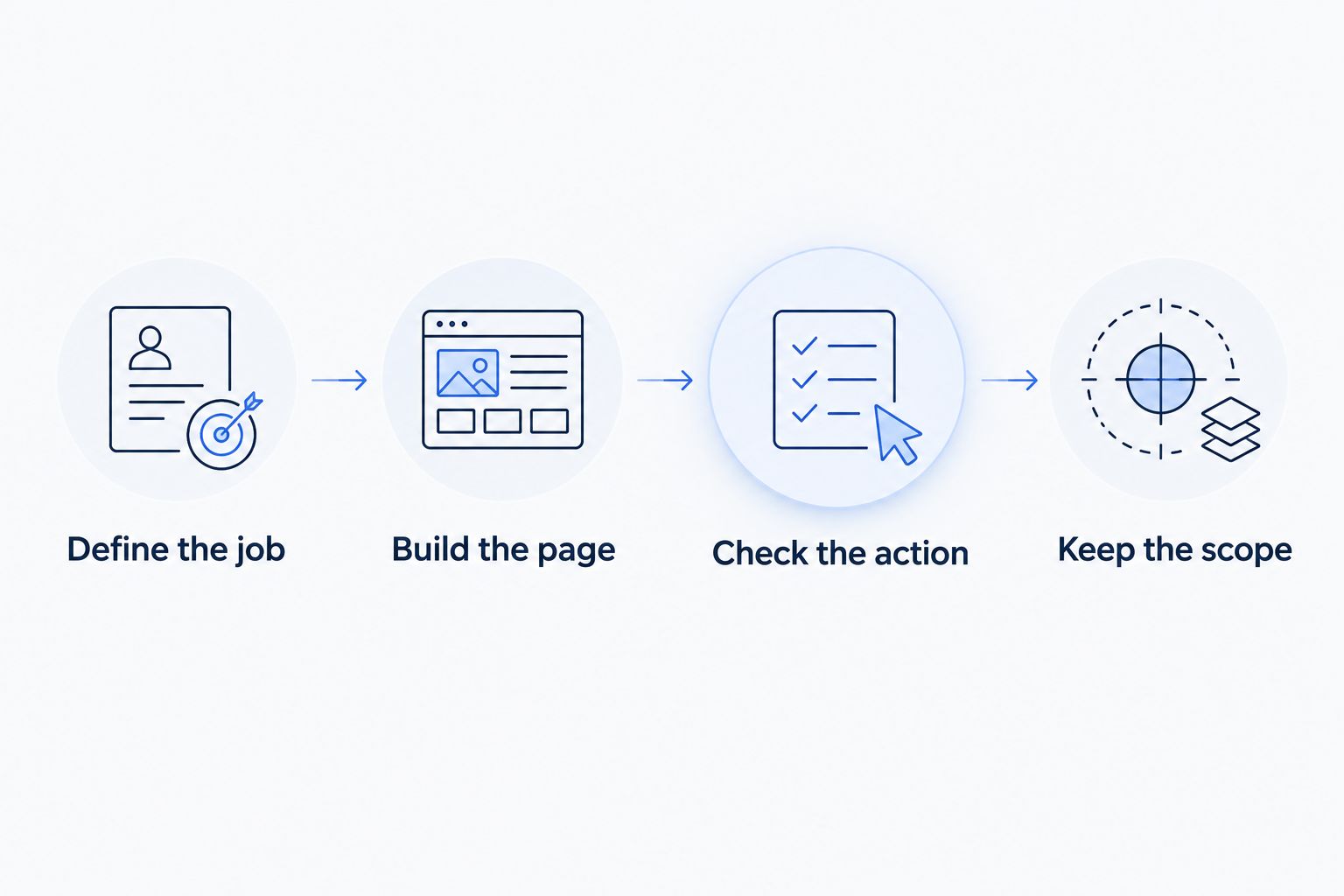
Define the job
Write one sentence describing the visitor and the action you want. Keep the sentence specific enough to rule out unnecessary pages. A website with several equally important goals needs a clearer brief before it needs more software.
Build the page
Create 1 page with a headline, explanation, supporting material, and next action. Use your own draft text rather than leaving demonstration copy in place. This reveals whether the editor suits your content.
Check the action
Complete 3 tasks: edit the headline, check the mobile layout, and follow the main call to action. These are suggested checks, not performance benchmarks. Fix any broken or confusing step before adding more pages.
Keep the scope
Write down what the first version will not include. Leave unrelated offers, decorative sections, and speculative integrations outside the build. Your 2026 website brief should describe a useful first release, not every possible future version.
Which beginner website builder should you choose?
Choose Wix if you need a general-purpose website and no narrower use case clearly applies. Choose Squarespace for a design-led site, Shopify for product sales, Carrd for a single-page brief, or WordPress.com for ongoing publishing.
Do not reopen the entire comparison after every minor frustration. First decide whether the problem is a missing capability or an unfinished content decision. Changing platforms does not write your offer, choose your images, or clarify your navigation.
For a 2026 first build, commit to a defined version before expanding the toolset. Finish the useful part. Then decide what deserves to come next.
FAQ
What's the best website builder for beginners in 2026?
Wix is the default recommendation for a general-purpose beginner website. Choose a different builder when a specific job dominates: Shopify for product sales, Carrd for a single page, or WordPress.com for publishing.
Is Wix better than Squarespace for a first website?
Wix is the better fit when flexible visual editing is your priority; Squarespace is the better fit when you prefer a structured, design-led starting point. Choose based on how you want to build, not just how the demonstration template looks.
Should I use Shopify for a service business website?
Shopify is not the default choice for a service website that only needs information and inquiries. Its store-centered workflow makes more sense when selling products is the site's main job.
Is Carrd enough for my first website?
Carrd is enough when your essential message and visitor action fit on a single page. Choose a multipage builder if you already need separate service pages or an expanding content library.
Do I need coding skills to use these website builders?
You do not need coding skills to create a standard website with the visual editing tools described here. Custom behavior and unusual layouts require checking each platform's capabilities before committing.
Is WordPress.com the same as hosting WordPress myself?
No. WordPress.com is a hosted service, while arranging your own WordPress hosting involves choosing and managing a separate hosting setup. Follow tutorials written for the setup you actually use.
What should I check before choosing a website builder?
Build a small page using your own content and test its main action on mobile. Also check the platform's current terms, feature access, and content export options before making a commitment.
One last thing
Your first draft is also a test of the brief. If you cannot explain the offer clearly in a simple document, a more flexible editor will give you more places to put the confusion.
Paidsolo's rule for this decision is practical: pick the builder that fits one useful website, then finish that website. Do not build the whole machine before one useful part is working.